
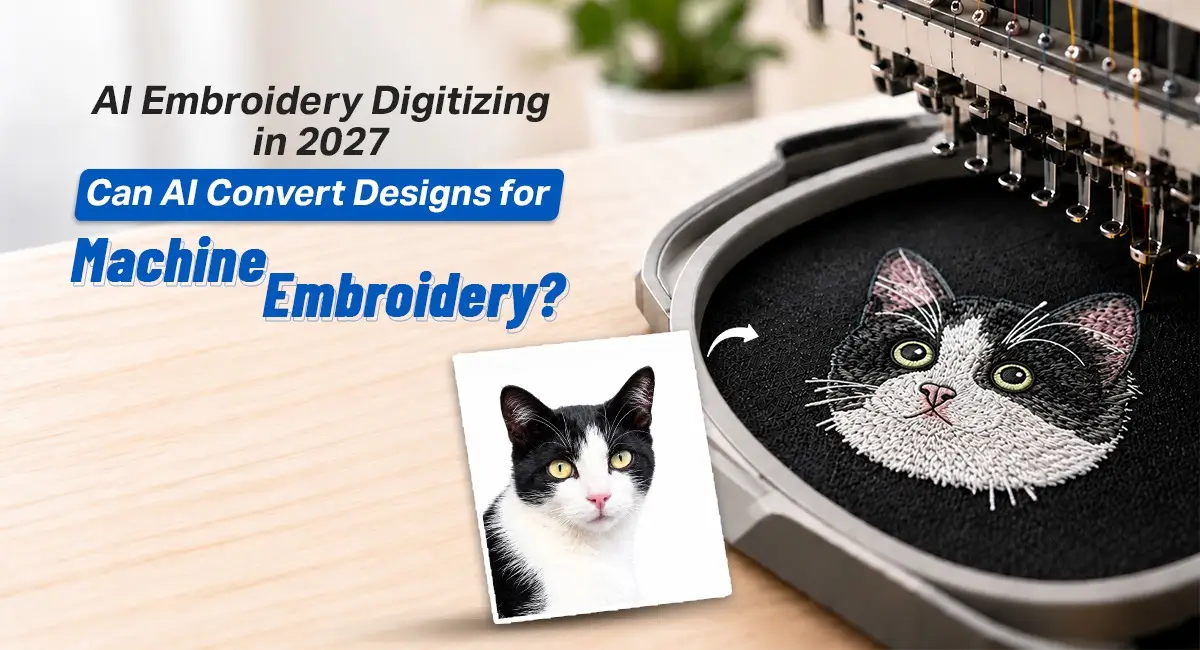
AI Embroidery Digitizing in 2026: Can AI Convert Designs for Machine Embroidery?
EMBROIDERY DIGITIZING / October 28, 2026
Grab a chair. Let's talk about AI and commercial apparel decorating because all the marketing copy out there is getting ahead of itself.
If you run a fashion label, manage a contract embroidery floor, or sell branded corporate apparel, you've seen the pitch: cloud software that turns any logo into a production-ready stitch file in thirty seconds flat.
So, does AI embroidery digitizing software actually hold up for commercial work in 2026?
Short answer, not without a human checking it first. Algorithms are genuinely fast at basic vectorizing now, nobody's disputing that. But embroidery isn't really a design problem, it's a manufacturing one. You're dealing with kinetic tension, friction, thread pulling against woven fiber, none of which a flat image file understands.
There are also two very different things that often get lumped together as "AI embroidery." Generative AI embroidery designs, think Midjourney-style outputs, give you flat pixels. Pretty, sure. Production-ready, not even close. AI digitizing tools are different: they attempt to convert artwork into actual stitch instructions for an embroidery machine.
To actually digitize logo for embroidery machines, stitch types, density, underlay, sequencing and pull compensation need to be appropriate for the design, fabric and application. If you want a deeper breakdown of this, our tips for digitizing logos covers the basics worth knowing before you send anything to production.
Auto Digitizing vs. Manual Embroidery: What's Actually Different
Here's the thing people miss. A commercial embroidery machine can run at speeds of up to around 1,200 stitches per minute. Every one of those punches pulls the fabric along the stitch line while simultaneously pushing fibers apart sideways. Think of it like squeezing a toothpaste tube: compress one area and another area bulges outward.
AI may apply a generic or preset compensation value, but the appropriate amount depends on the fabric, stitch type and design. A wide satin column pulls way harder than a thin one. Stretchy athletic polyester reacts nothing like stiff cotton canvas. A human digitizer compensates for this by hand, literally reshaping a circle into a slight oval on-screen so it comes out round once it's actually stitched.
Where AI Tools Genuinely Hold Their Own
To be fair, automated tools aren't useless junk. For low-stakes stuff, DIY hobby projects, basic shapes on rigid canvas totes, stiff twill patches, they can get the job done.
They're also genuinely handy before production even starts. Need an instant stitch count or a quick 3D sew-out mockup to send a client for approval? AI nails that. But there's a massive gap between a slick sales proof and a file that can run nonstop on an eight-head industrial machine without snapping a needle.
Where Things Go Wrong Fast
On high-volume custom embroidery digitizing jobs and embroidery-on-demand setups, an unedited AI file is a real liability. One bad path and you're looking at torn fabric, snapped needles, or a birdnest jamming the rotary hook.
Seven Warning Signs Your File Needs a Professional Digitizer
Before you run an auto-generated file on your machines, check it against these seven red flags. The more of these warning signs you see, the more likely the file needs manual review before production.
- It ignores what fabric you're using. AI can apply generic settings or presets across different fabrics, even though each one behaves completely differently under a needle.
- Its underlay isn't appropriate. AI can generate underlay, but the question is whether that underlay is appropriate for the fabric, design and production conditions. Underlay is the foundation layer beneath your visible stitches. Without suitable underlay, top stitches can sink into fleece or other textured fabric.
- Its pull compensation isn't appropriate. Thread tension naturally drags fabric inward as it stitches. If the file doesn't compensate appropriately, column edges can gap open and expose the backing.
- It mangles small text. Tiny lettering is one of the hardest things to automate reliably. As letter strokes get narrower, counters can close up, stitches can pile together and readability can collapse, especially on textured or unstable fabrics.
- It jumps around unnecessarily. Automated sequencing may not always produce the most efficient sewing path, potentially adding extra trims and jump stitches that slow the run down.
- It treats caps like flat paper. Caps are curved and often require specialized sequencing, including center-out and bottom-up stitching. A generic flat-garment workflow may not produce the pathing a cap requires, so designs can bunch or drift near the seam.
- Nobody test-ran it. A human can mount a sample and check real-world performance. An algorithm can't, so you're the one finding out if it works.
From Vector to Stitch: The Part Nobody Talks About
For logo work, clean vector artwork gives the digitizer a much better starting point. When the source is a raster image, it may need to be converted or redrawn before efficient digitizing can begin. Automated tracing can produce unnecessary anchor points, jagged curves or overlapping paths, particularly when the source artwork is low-resolution or complicated. Someone still has to clean that up by hand before the first stitch gets plotted. You can read up the importance of raster to vector conversion and why skipping this step causes problems further down the line.
Why a Real Digitizing Partner Still Matters
Working with an established embroidery digitizing service, or a dedicated logo digitizing company comes down to reliability, plain and simple. A skilled digitizing service provider builds proper tatami underlay lattices, keeps tiny lettering readable, and prevents needle deflection before it becomes your problem.
If you're searching embroidery digitizing nearby hoping to find someone local, here's a tip, most reputable shops now work entirely online and deliver faster than a local vendor would anyway. Location matters less than turnaround and file quality.
When picking a partner, look for three things: do they ask what fabric or cap style you're using, can they turn files around in 12 to 24 hours, and do they offer free revisions if something's off. Make sure the provider can supply the machine format your equipment requires, DST is common in commercial embroidery, and, more importantly, can provide a clean sew-out rather than simply a technically valid file. Worth a look before you commit: a guide comparing embroidery digitizing services, which breaks down what separates a reliable bureau from a risky one.
What "Free" AI Files Actually Cost You
A free or three-dollar automated file sounds great until it snaps a needle, eats twenty minutes of downtime on an eight-head machine, and ruins two forty-five-dollar jacket blanks. Imagine a file that causes a needle break, 20 minutes of downtime and two ruined $45 jacket blanks. Your "free" file just created $90 in garment waste, before you even count machine time. That "bargain" can cost far more than the original file. Professional digitizing isn't really an expense. It's insurance for your production floor.
In-Depth Comparison: Algorithmic vs. Professional Digitizing
| Operational Metric | Commercial AI Digitizing (2026) | Professional Manual Digitizing | Industrial Significance |
|---|---|---|---|
| Generation Latency | Seconds to minutes, depending on the tool and design | Hours of active work; turnaround varies by provider and complexity | AI excels at rapid drafts, customer quotes and proofs |
| Upfront File Cost | Often low-cost or included in a SaaS subscription | Varies by design complexity, size, stitch count and provider | AI can appear cheaper upfront, but production performance still needs to be considered |
| Production Reliability | Depends heavily on design complexity, fabric and whether the output is reviewed | Designed and adjusted for the specific application | Production testing and human review can reduce avoidable failures |
| Underlay Architecture | May be automatically generated using presets or algorithmic settings | Can be manually tailored to the design and fabric | Appropriate underlay helps prevent stitches from sinking into fleece and other unstable or textured fabrics |
| Headwear / 3D Puff Support | Some automated tools support specialized workflows, but output still requires validation | Specialized sequencing and settings can be manually engineered for the application | Important for registration, coverage and clean edges on curved or raised applications |
Frequently Asked Questions
Ready for Flawless Sew-Outs?
Why risk expensive garment blanks and machine time on an algorithm that's never actually watched thread snap? At ArtLogo, embroidery digitization and vector art conversion start at just $4, backed by master digitizers with over 15 years of experience and same-day to 24-hour turnaround. Send us your artwork and let's get it production-ready, the first time.